DOWNLOAD your photos!
Please be sure to SAVE YOUR IMAGES somewhere else (i.e. iCloud, Hard Drive, USB, CD) once they’re downloaded. Your online gallery will only be available for 3 months.
HOW TO DOWNLOAD IMAGES ON DESKTOP
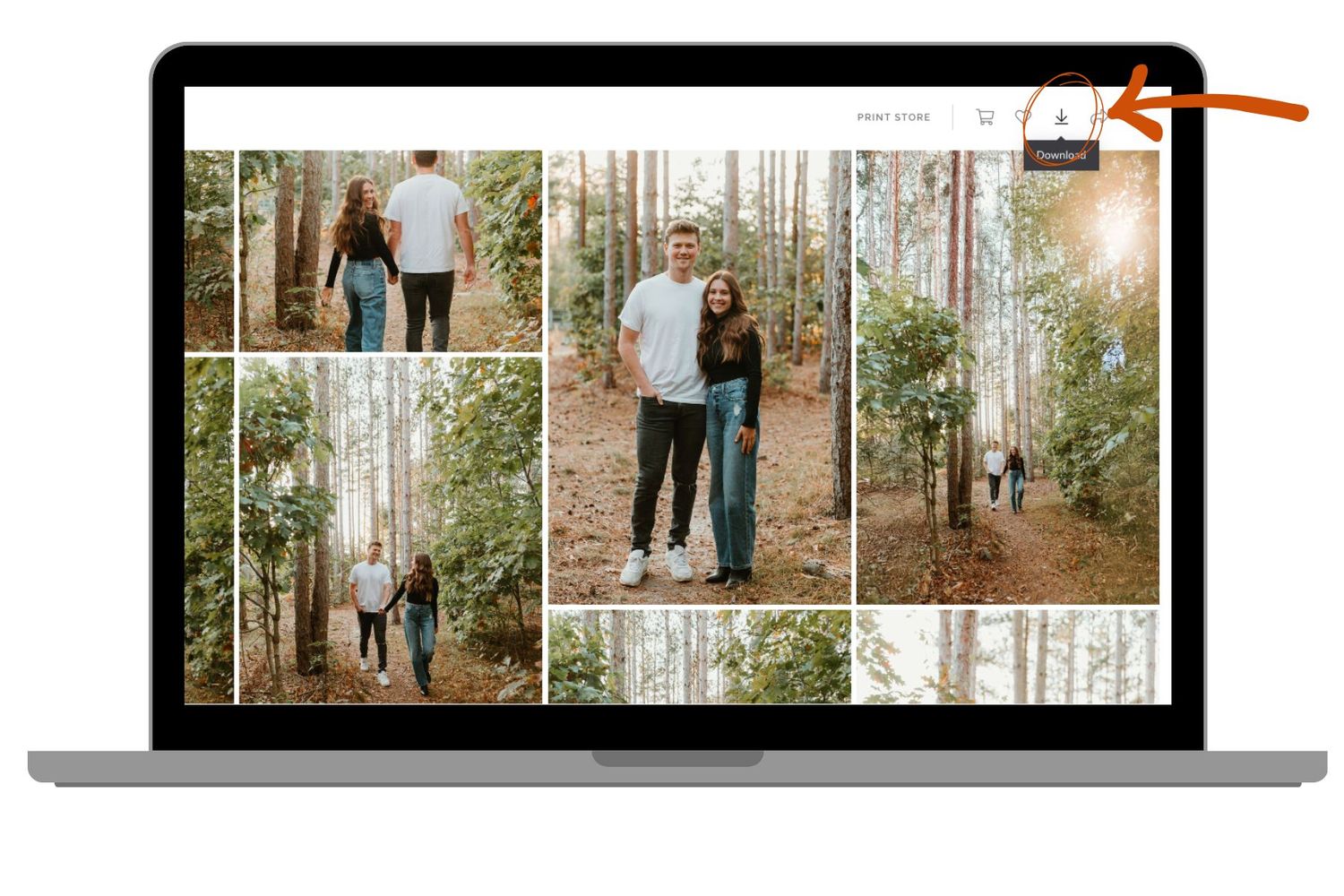
FULL GALLERY: To download the entire collection, click on the download icon in the top right. Enter your email, and the download will begin.
HOW TO DOWNLOAD IMAGES ON DESKTOP
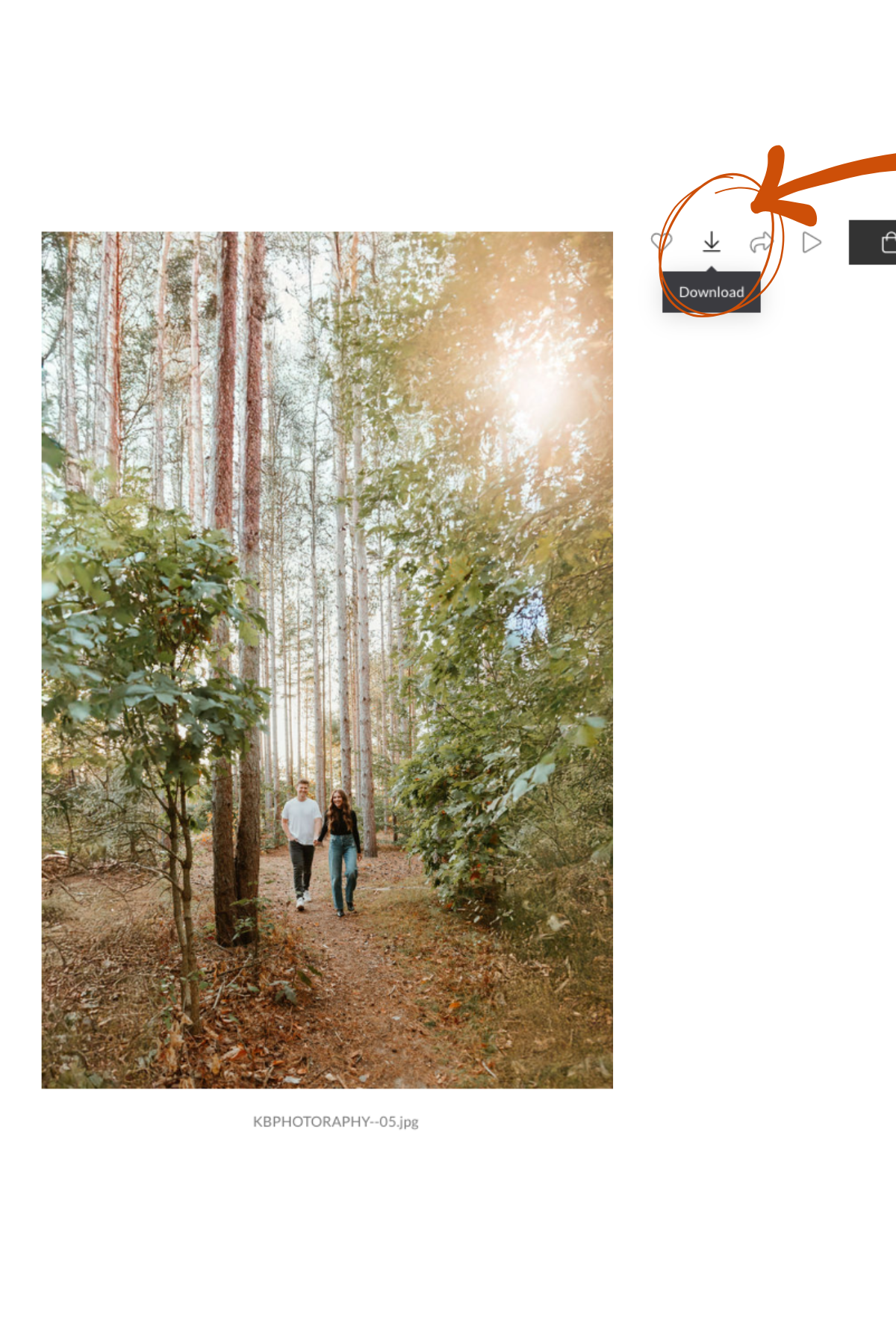
SINGLE PHOTO: You can either hover over the photo and click the Download button while it’s still in gallery viewing mode, OR you can click the image you want to download and click on the Download Icon located on the individual image. Enter your email, and the download will begin.

HOW TO DOWNLOAD IMAGES ON MOBILE
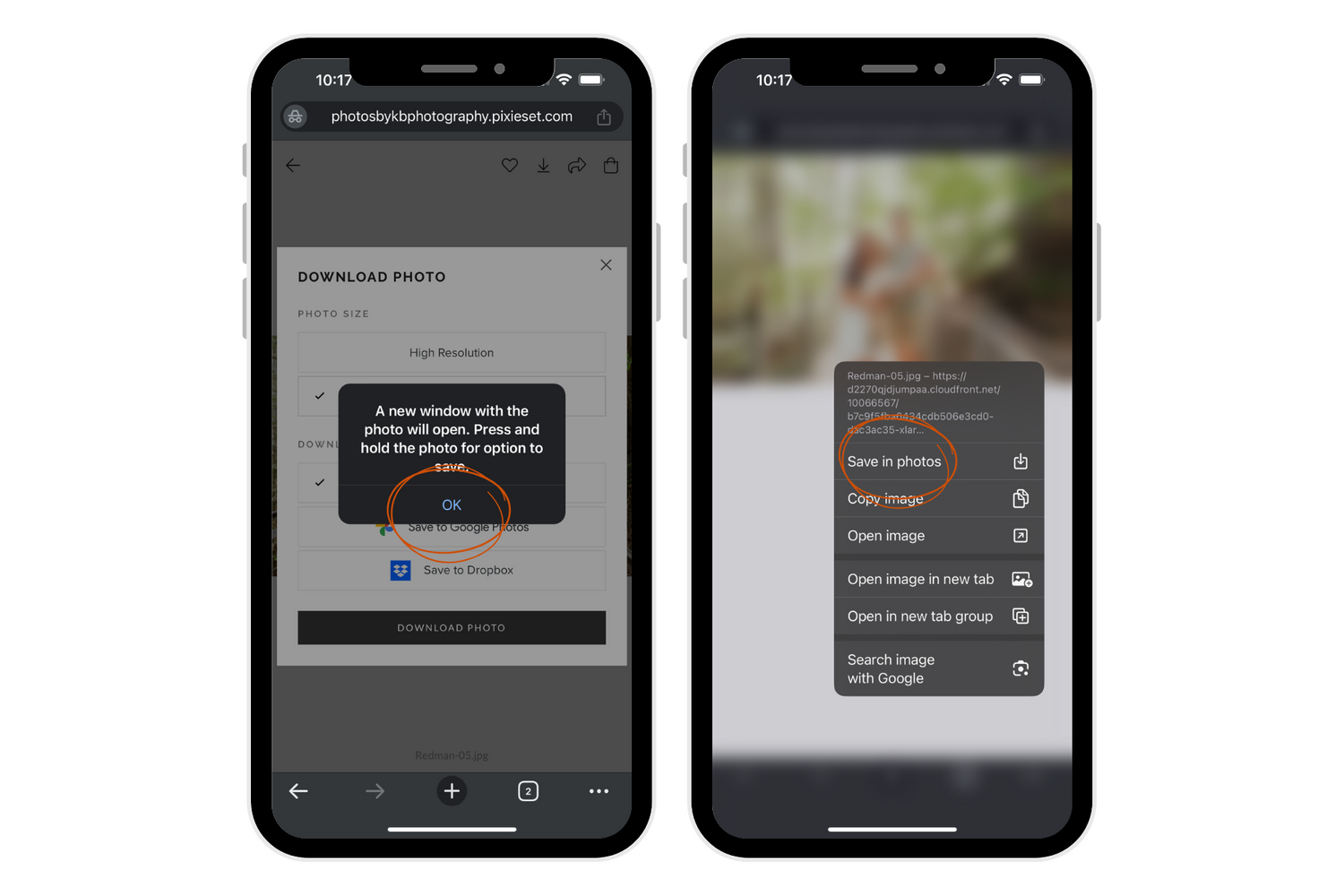
SINGLE PHOTO: Select the photo you wish to download. Enter your email, and then select the size of the photo you'd like. Use the high resolution for printing and the best quality. Use the web size for social media posts.
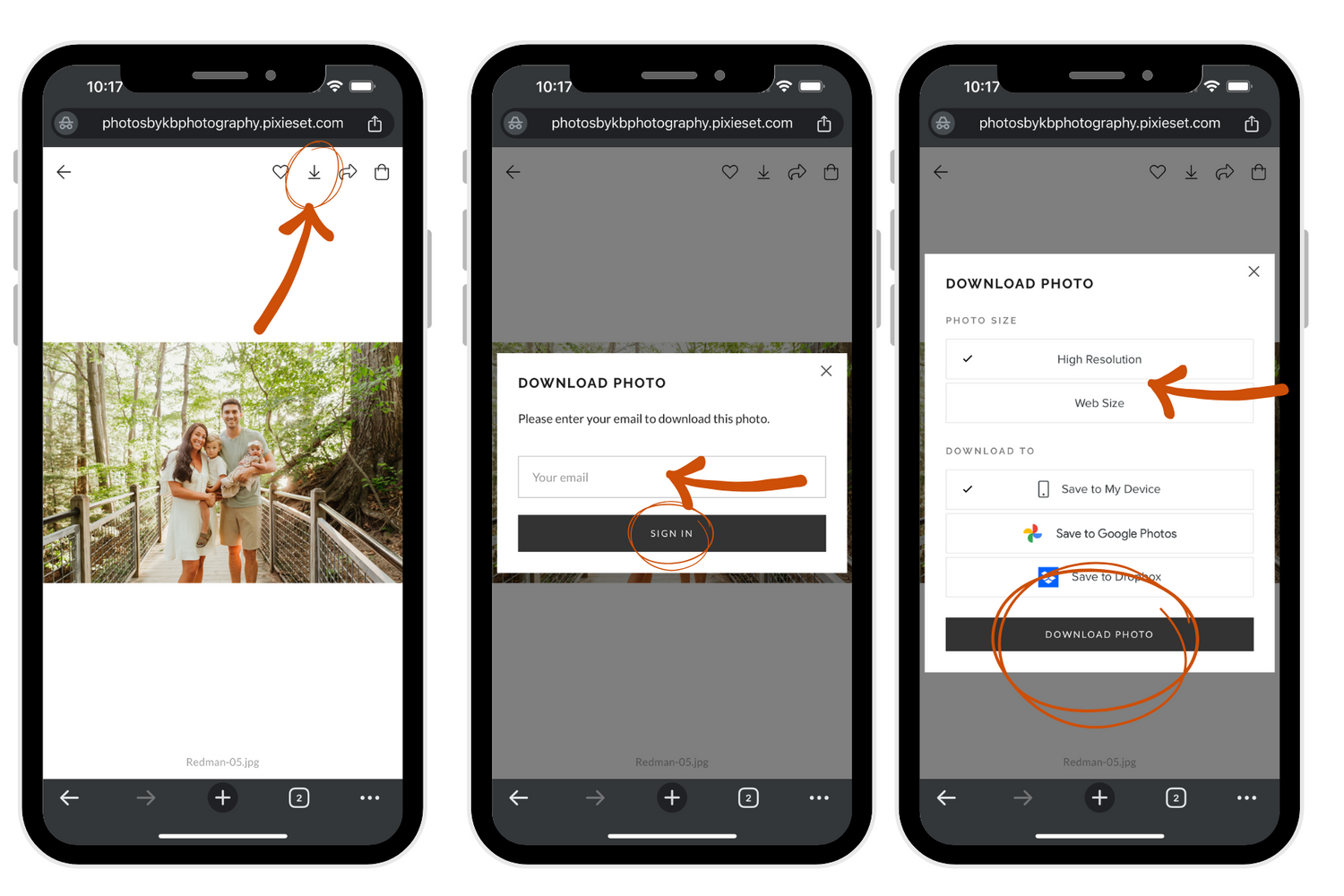
Once you’ve click the Download Icon, the image will open in a new window, select OK to move on. Then long press down on the image on your phone, until the Save Image message box appears.
HOW TO DOWNLOAD IMAGES ON MOBILE
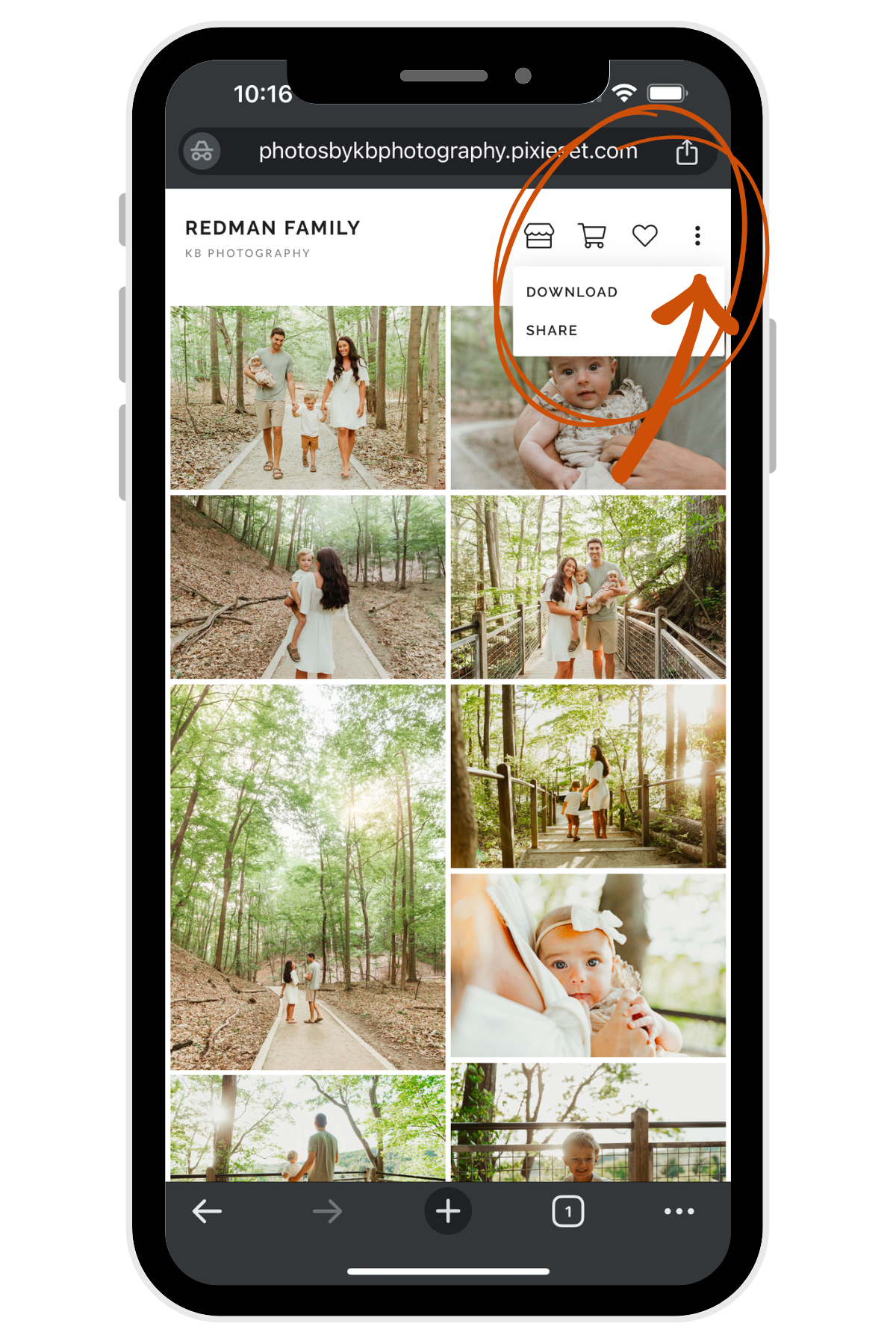
FULL GALLERY: Click the three dots in the top right corner, then click DOWNLOAD.